Reset Settings
There are several reasons to reset your EZCast Pro device to factory settings:
-
You have forgotten the admin password for the Settings.
-
You have made changes to your network infrastructure, IP settings, or the SSID credentials of the box, and your box is no longer reachable.
-
You have problems undoing an unwanted change on the box.
When resetting, all settings are reset except for the Wi-Fi SSID, the background image of the home screen, and the firmware version.
Reset via App or Software
Open Settings
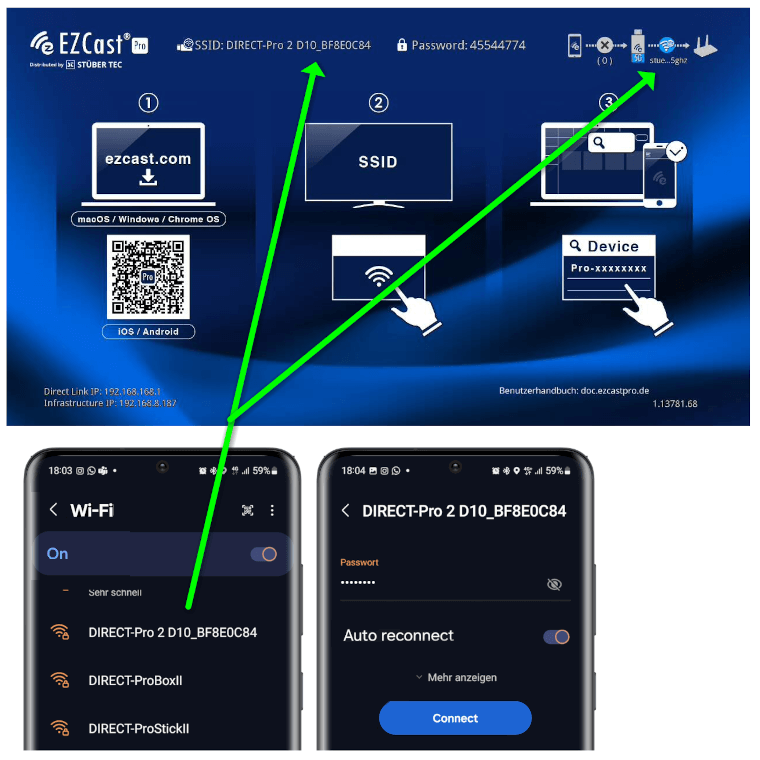
- Connect your device to the EZCast Pro II device, either with the SSID of the EZCast Pro II device or with the same Wi-Fi or LAN infrastructure to which the EZCast Pro II device is connected:
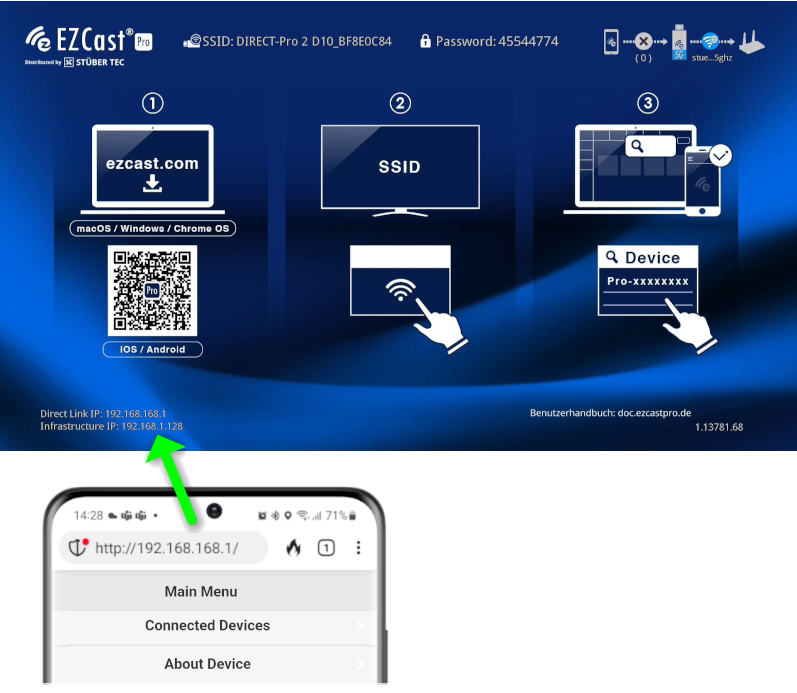
- Enter the IP address of your EZCast Pro device in any web browser; it is displayed at the bottom left on the home screen:
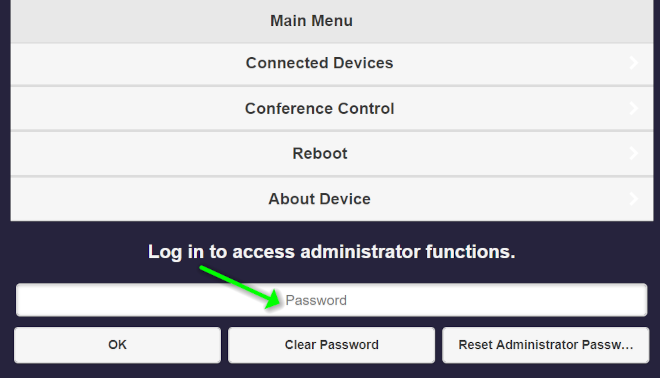
Log in as admin
- Enter the admin password and click
OKto log in. The default password is000000. If this password is not accepted, reset the device using the reset button.
Reset to default settings
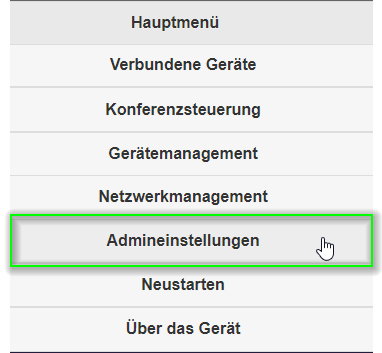
- From the top left menu, select
Admin Settings.
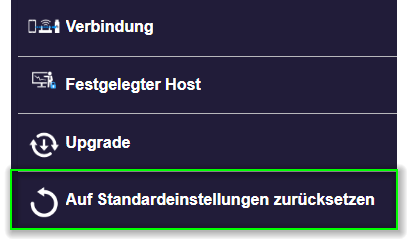
- Select the item
Reset to default settings.
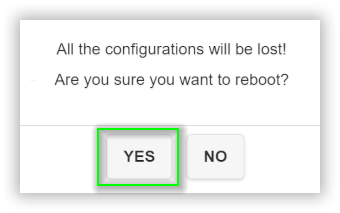
- To confirm, select
Yes.
Reset via reset button
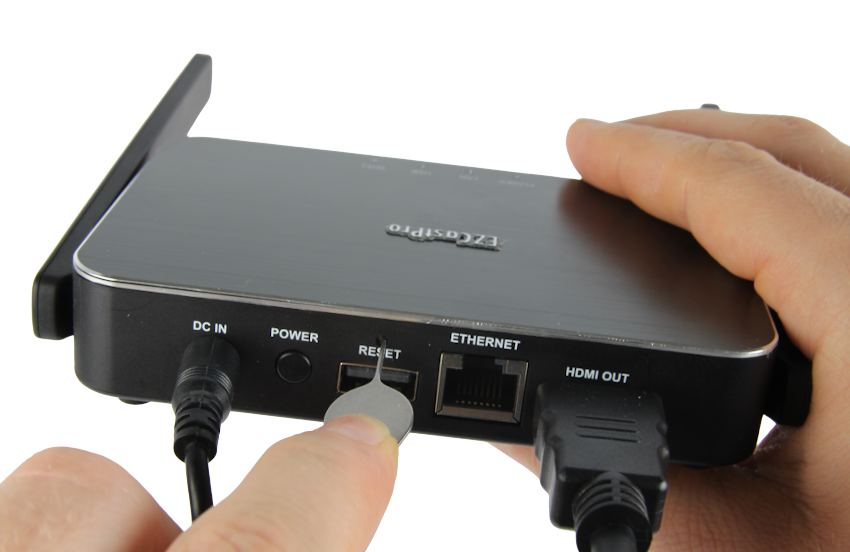
If you do not know the access data for the Settings, you have the option to reset to default settings using the reset button:
- Using a small "pin," hold the reset button pressed for about 10 seconds. The reset button is located on the back of the box above the USB port.
- When the following message appears, release the reset button.
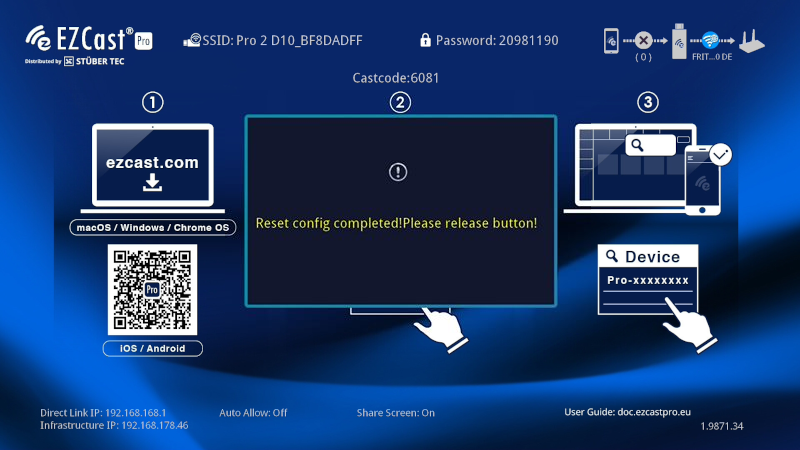
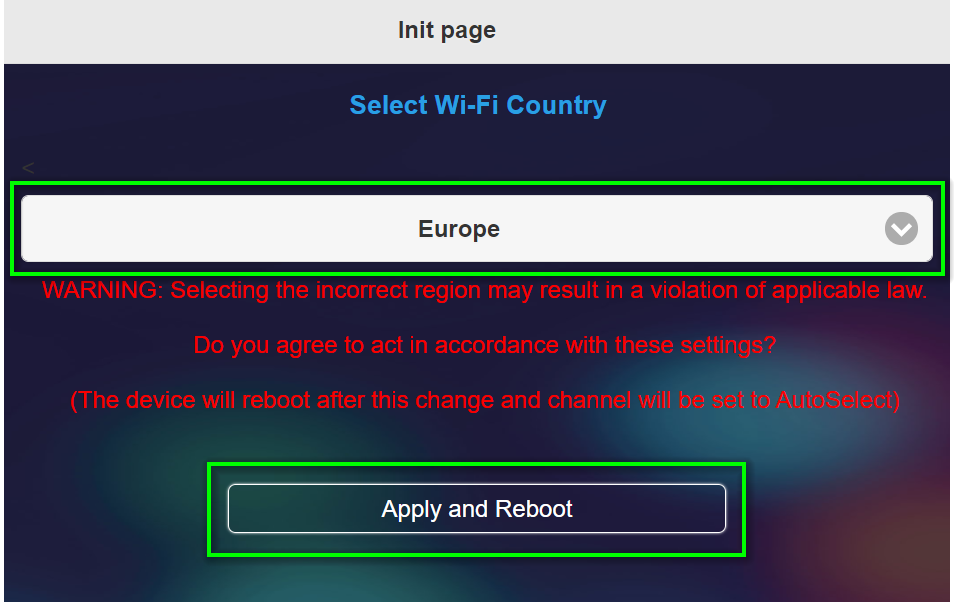
- At the first login after resetting, you must select the country:
Recommended settings
The recommended settings below assume you have already performed a reset of the receiver:
Firmware Version: 1.17478.205
Device Management
- Language:
ENGLISH - AirPlay mode:
Mirroring + Video streaming - AirView:
ON - Cast code:
Random - Miracast PIN:
ON - Miracast mode:
Split screen supported - Miracast PIN mode:
4-digit random code - Timed restart:
2 hours
Network Management
- Wi-Fi mode:
Country = EUROPE,Channel = Auto,Bandwidth = 20MHz
Admin Settings
- Host permissions:
Conference control = OnNetwork management = OffDevice management = OffRestart = On
- My screen: Our landing page in the English language
- Central management system:
ON