Guest Mode
Guest Mode AirPlay-P2P + Miracast
With the firmware update 1.17478.183, a guest mode was introduced.
With this mode, end devices can stream via AirPlay-P2P or Miracast (NGO). Both streaming protocols use a variant of Wi-Fi Direct.
This means: The user or guest does not need an existing Wi-Fi connection to the EZCast Pro device to mirror their screen.
To use this feature, make sure that the latest firmware is installed on your device.
Enable Guest Mode
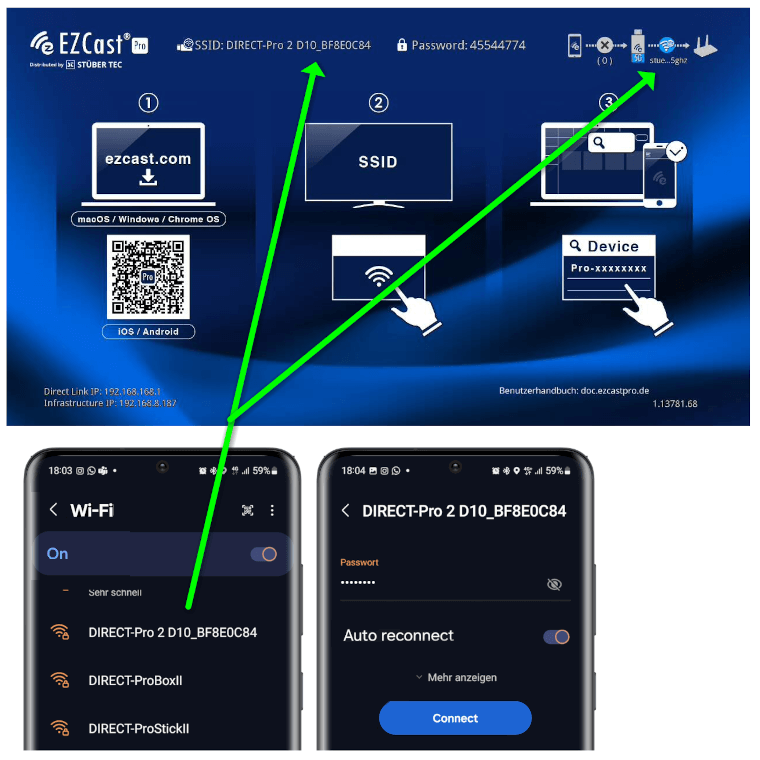
- Connect your end device to the EZCast Pro II device, either via the SSID of the EZCast Pro II device or via the same Wi-Fi or LAN infrastructure to which the EZCast Pro II device is connected:
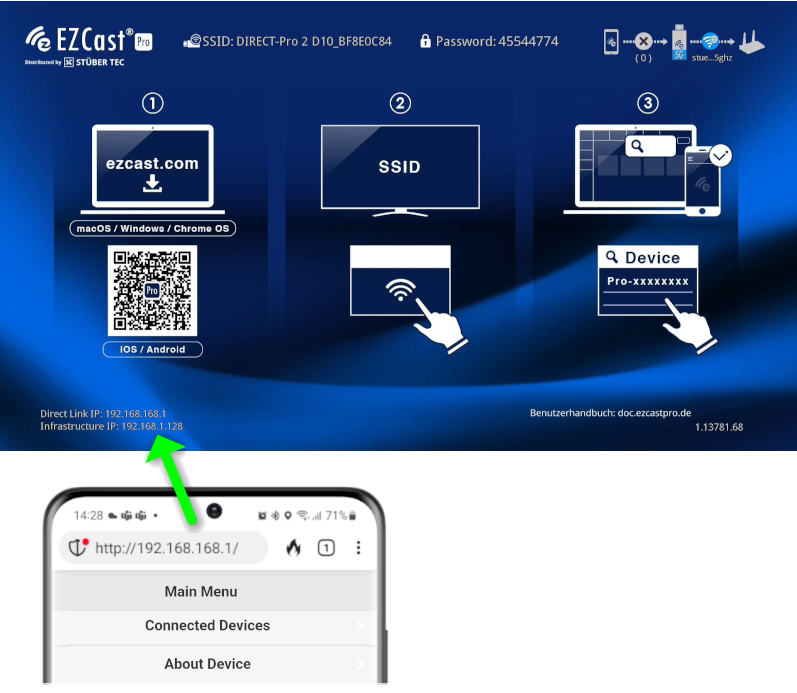
- Enter the IP address of your EZCast Pro device in any web browser. This is displayed in the bottom-left corner of the home screen:
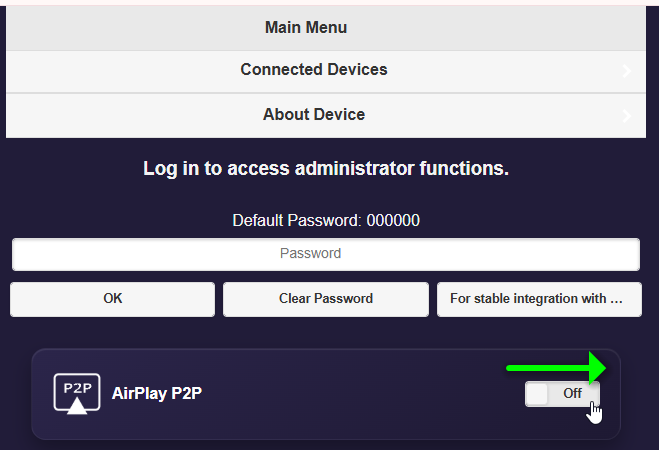
- Enable Guest Mode:

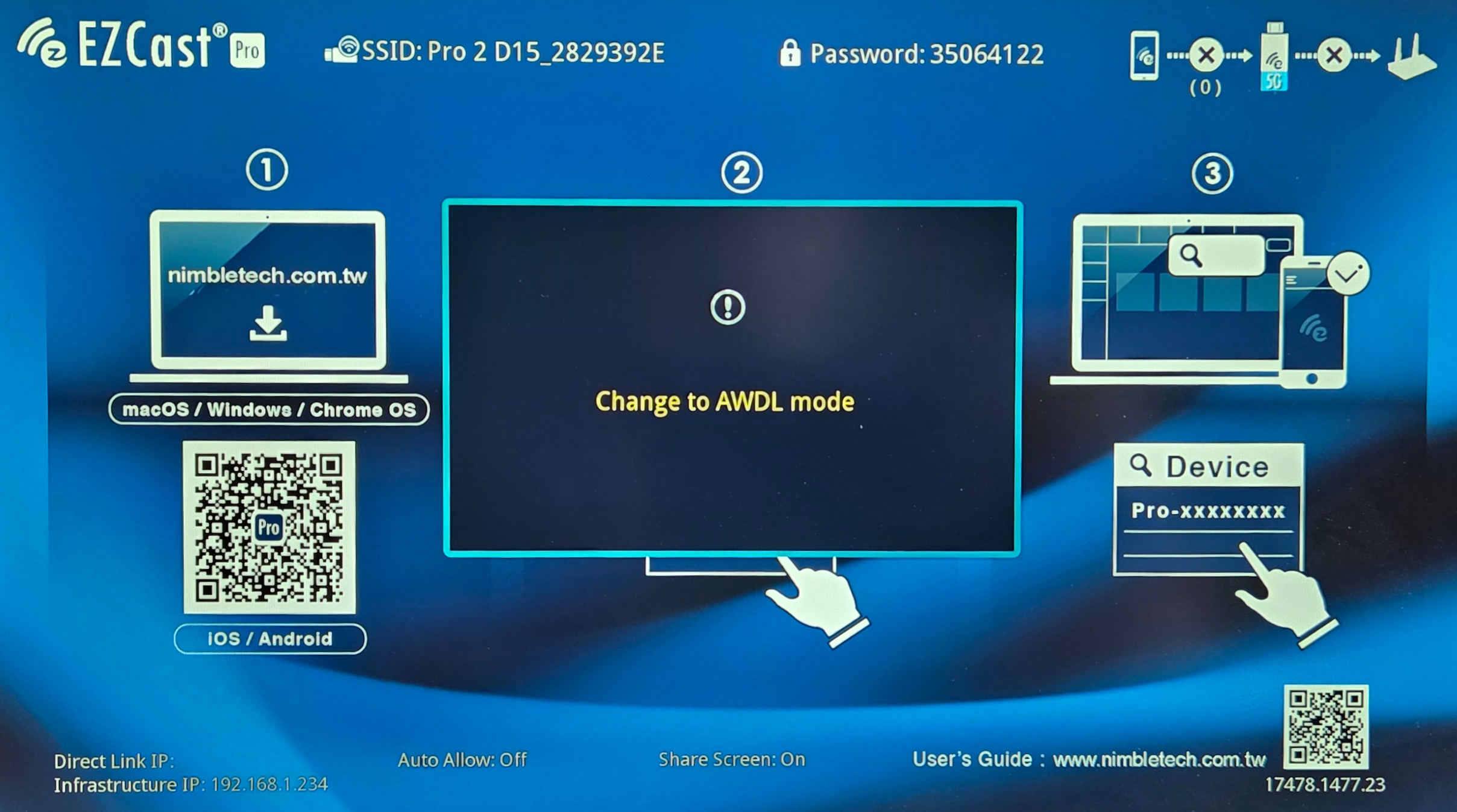
- The activation of Guest Mode will be confirmed on the screen:
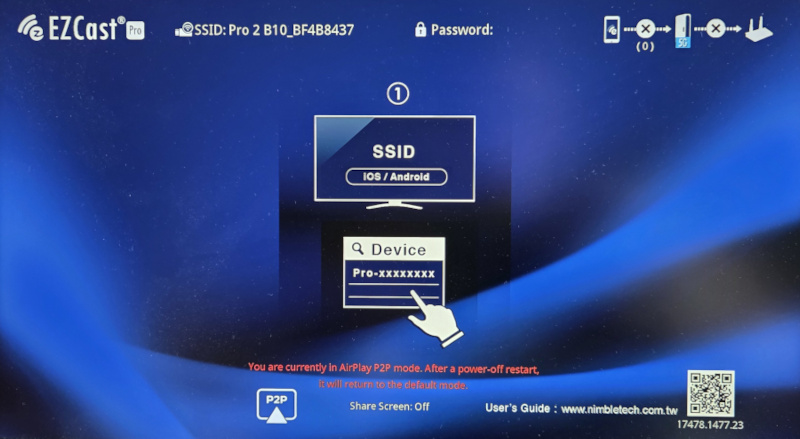
Screen Mirroring
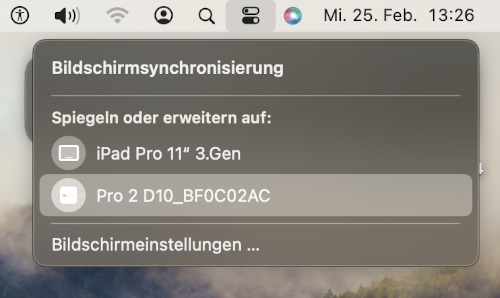
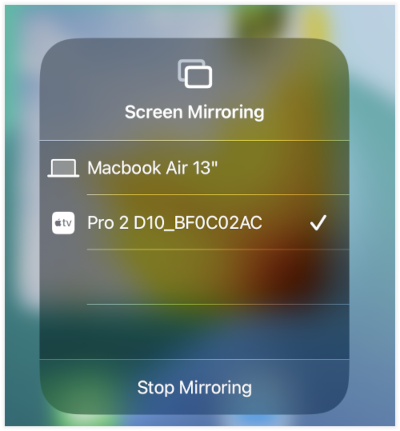
The device can now be found via the usual screen mirroring function of your end device.
Disable Guest Mode
To disable Guest Mode with this beta firmware, the device must be restarted by disconnecting it from power and then turning it back on.
Alternatively, you can enable the setting Scheduled Restart.
This will automatically restart the device when it is not in use.